Billing, stock and khata for your shop. Online or offline.
آپ کا کاروبار، آپ کے ہاتھ میں
Karobar Plus is a complete business system for Pakistani shops and traders. Use it in the browser on any phone or computer, or install it on a Windows PC that runs without internet.
- Open your shop from the counter PC, a laptop at home or your phone
- Two or more counters bill at the same time and stay in sync
- Saved online after every sale, with a backup every day
No card needed. Nothing to install.
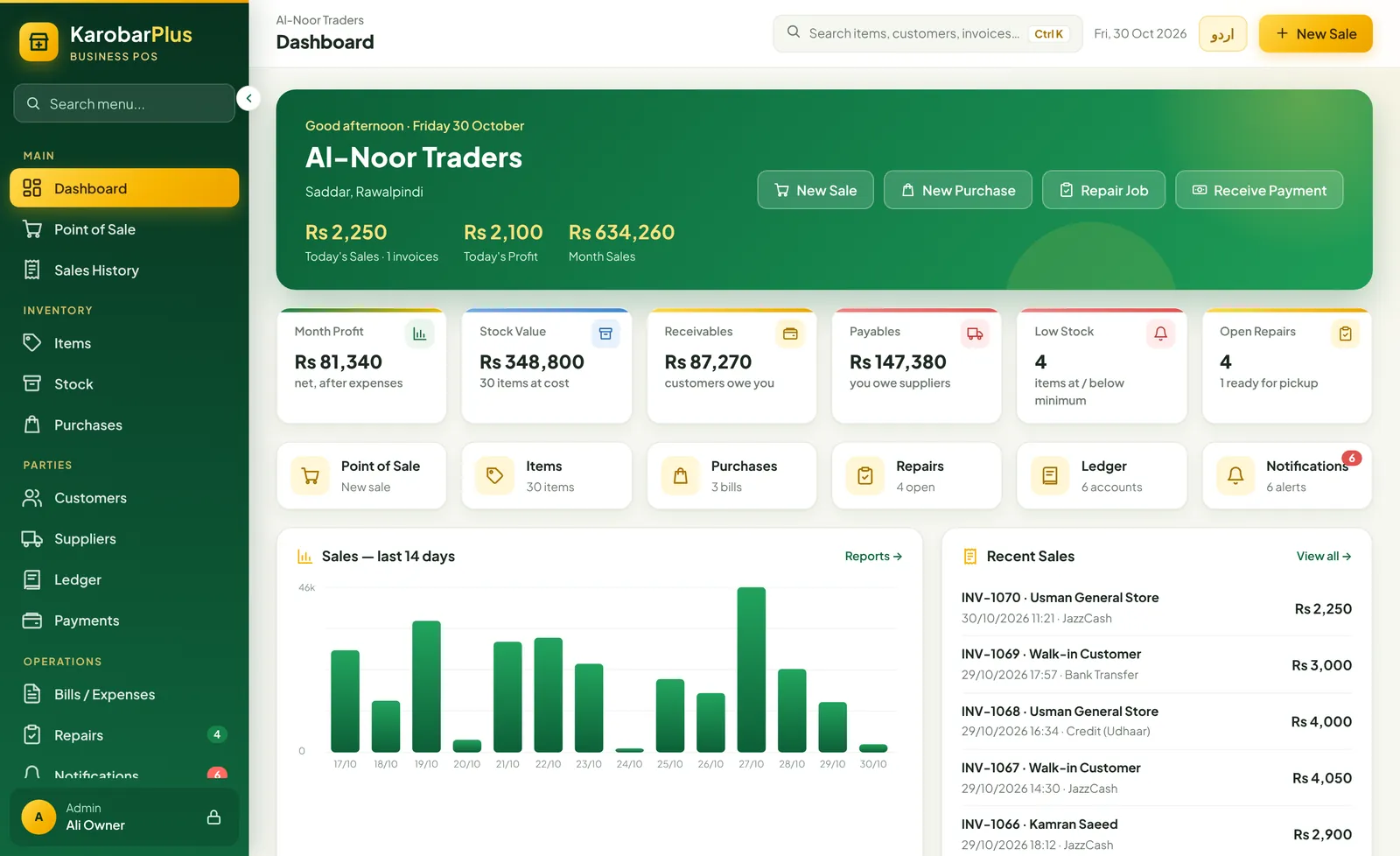
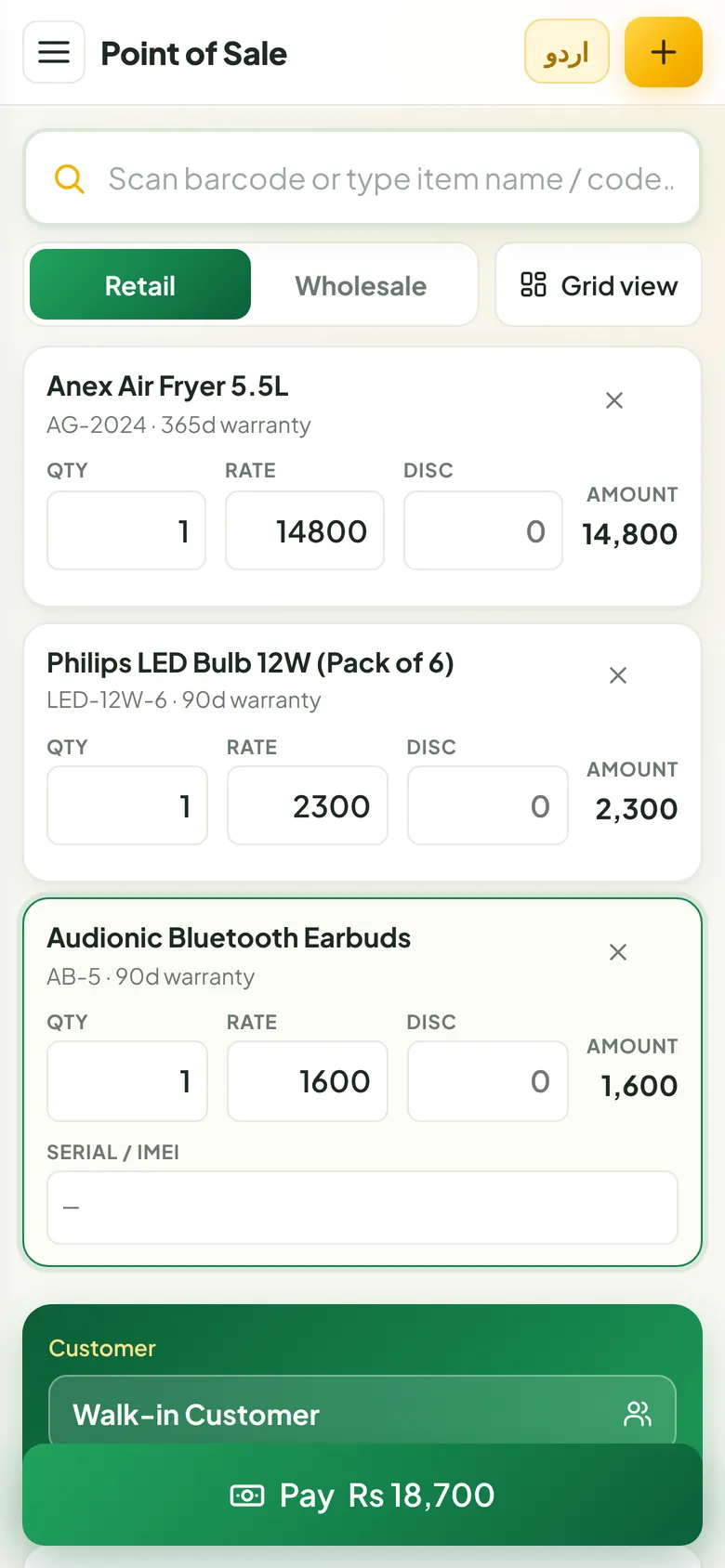
Made for general stores, electronics and mobile shops, hardware and paint stores, cosmetics, garments, auto parts, wholesalers, distributors and service centres, any business that sells, buys and gives credit.
Two versions. One system.
Same screens, same features, same Urdu. Choose where your shop runs, and switch later if your needs change.
Karobar Plus Online
For shops with internet, more than one counter, or an owner who wants to check sales from home.
- Nothing to install, sign in from any browser
- Phone, laptop and counter PC all show the same data
- Several counters can bill at the same time
- Saved after every change, backed up every day
- Monthly plans, 14-day free trial
Karobar Plus for Windows
For shops with weak or no internet, or owners who want their data only on their own computer.
- Installs on Windows 10 and 11
- Works 100% without internet
- Data stays on your computer, never online
- Silent printing to your receipt printer
- License key for your PC, 3-day free trial
| Compare | Online | Offline (Windows) |
|---|---|---|
| Where it runs | In the browser on any computer, laptop, tablet or phone | Installed on one Windows 10 / 11 computer |
| Internet | Needed. If it drops for a while, billing continues and saves when it is back | Never needed |
| Several counters or branches | Yes, all devices stay in sync | One computer |
| Check sales from home | Yes, from your phone | Only on the shop computer |
| Where your data is kept | Securely online, in your own account | On your computer's hard drive |
| Backups | Automatic every day on the server (last 30 days), plus download any time | Automatic every day on the PC (last 30 days), plus copy to USB |
| Receipt printing | Thermal or A4, printed through the browser | Thermal or A4, straight to the printer without a pop-up |
| Updates | Automatic, nothing to do | New installer when an update is released |
| How you pay | Monthly, 3, 6 or 12-month plans | License key for your computer, monthly to lifetime |
Change your mind any time. A backup from one version restores into the other with every item, sale, customer and ledger, so you never start again.
Everything a shop does in a day, in one place
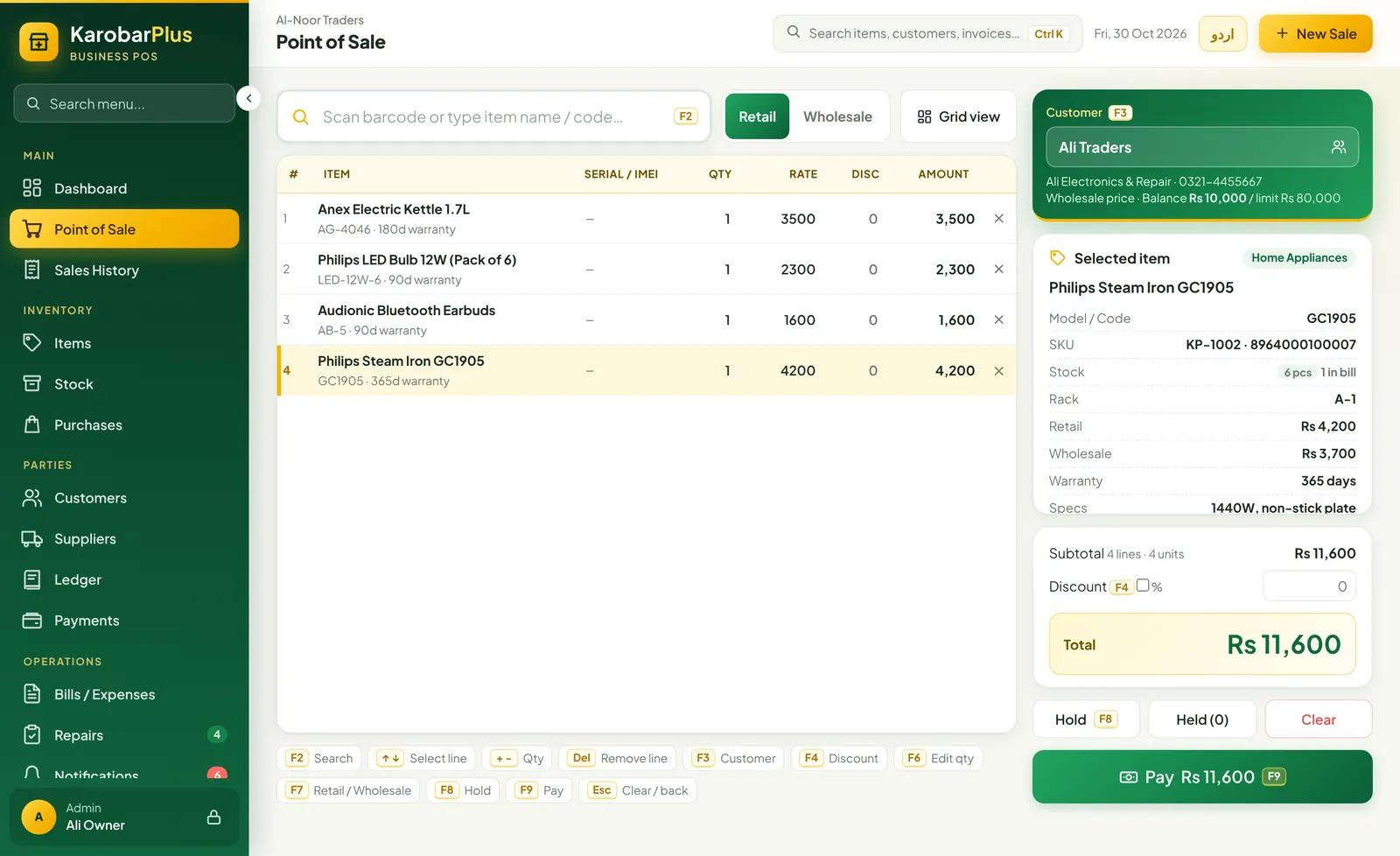
Bill a customer in seconds
Scan a barcode or type a few letters of the name and press Enter. The whole counter works from the keyboard, or by touch on a phone.
- Retail and wholesale prices, switch with one key
- Hold a bill, serve the next customer, bring it back
- Cash, card, JazzCash, EasyPaisa, bank or udhaar
- Thermal receipt or A4 invoice with your logo
Know exactly what is on the shelf
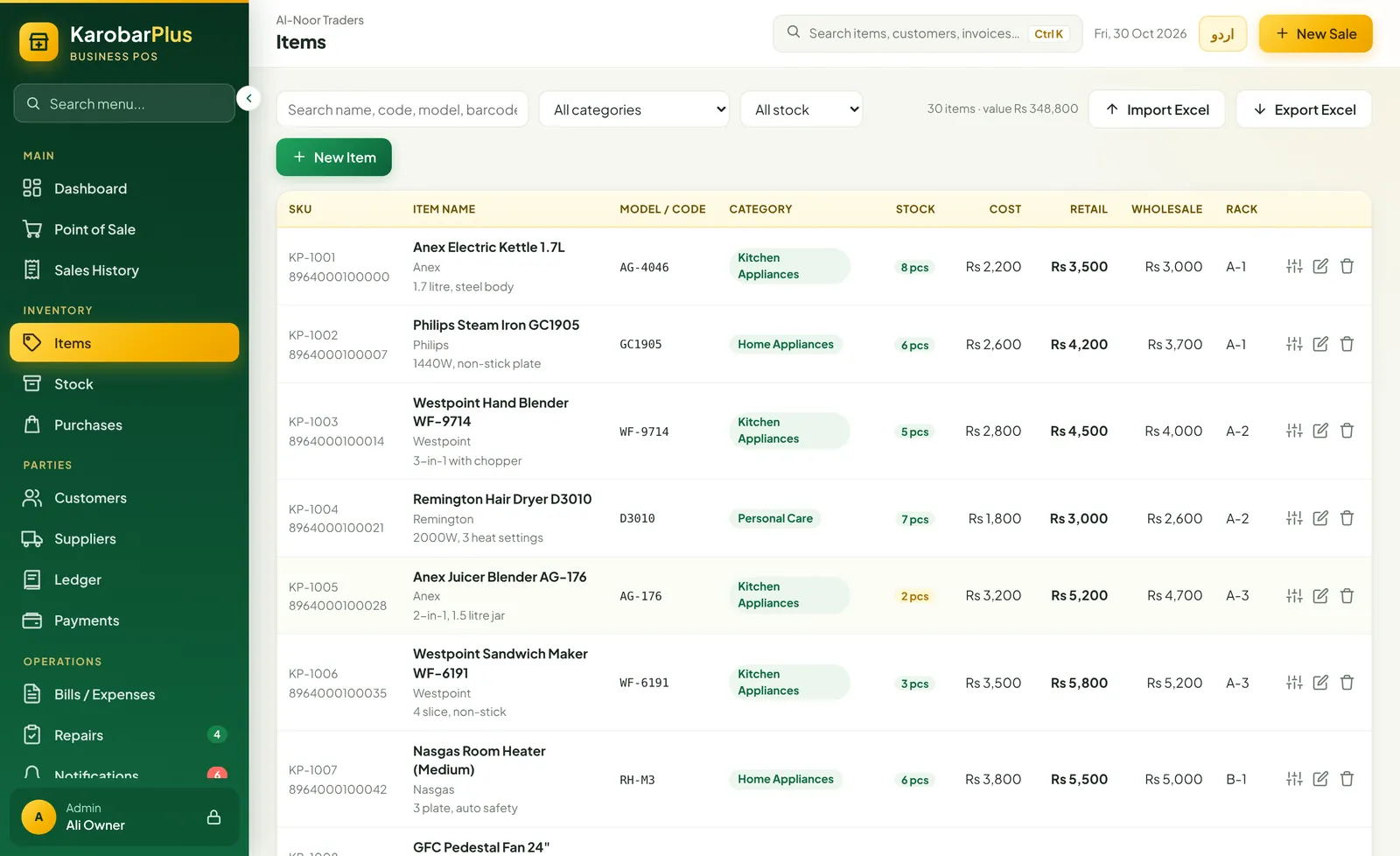
Every sale and purchase updates stock by itself. Karobar Plus tells you what is running low before you run out.
- Purchase bills from suppliers add stock
- Low-stock alerts and reorder list
- Stock adjustments for damage, samples and counts
- Import your item list from Excel
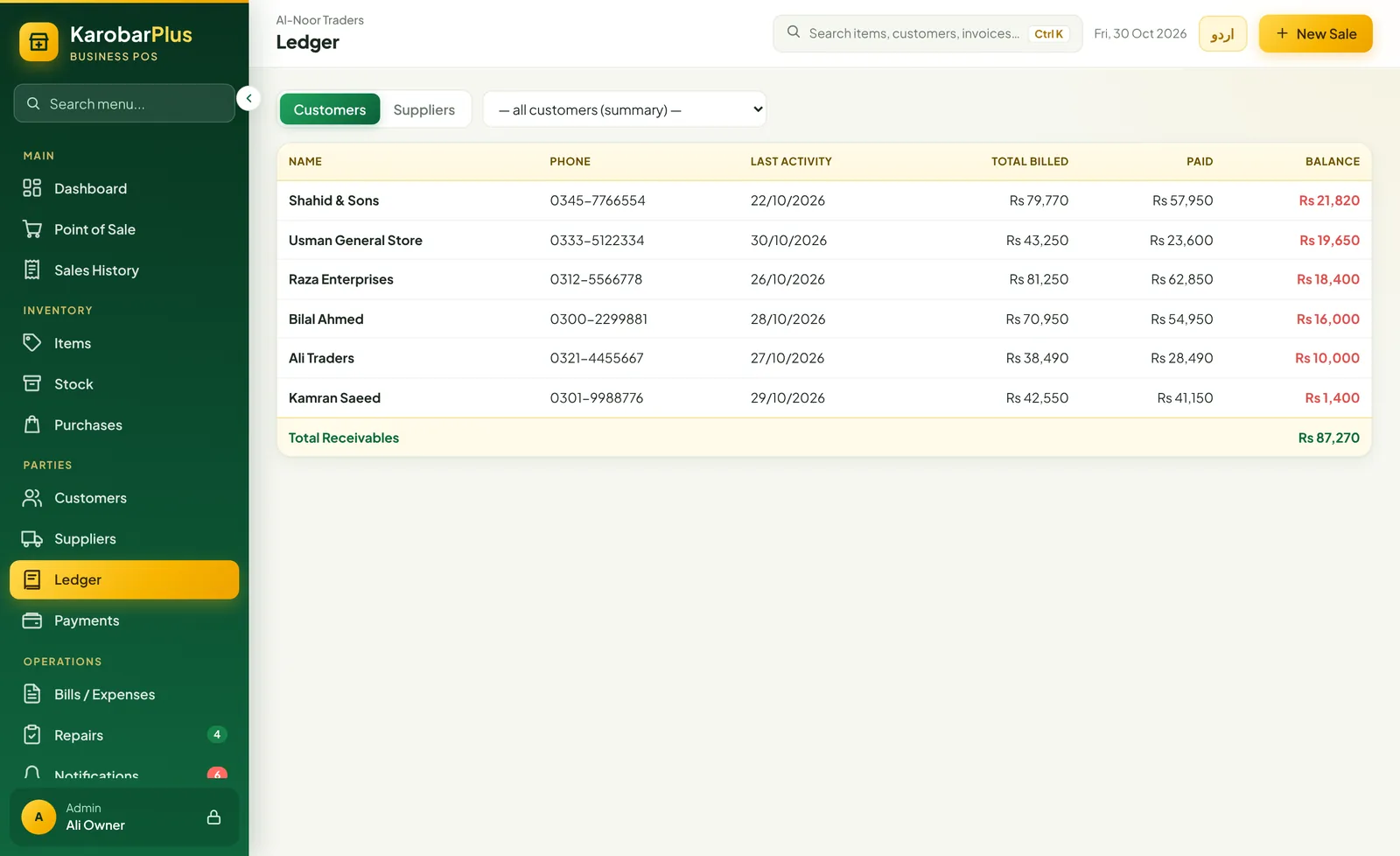
Khata that keeps itself
Credit sales and payments go straight into each customer's and supplier's ledger. See who owes you, and whom you owe, at a glance.
- Customer and supplier balances, always up to date
- Credit limits for regular customers
- Receive and record payments in any method
- Print a statement for any customer or supplier
Real profit, not a guess
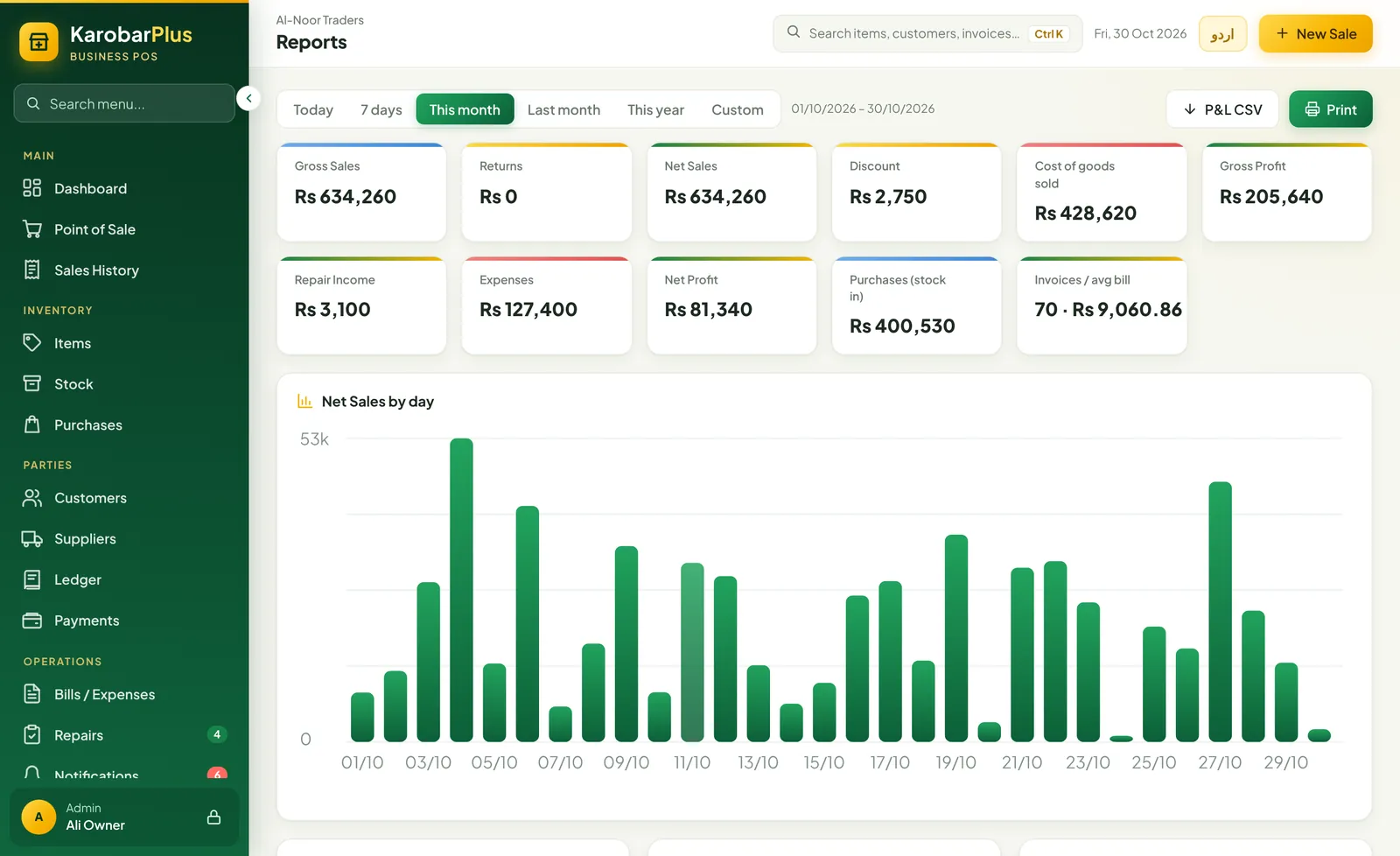
Sales minus cost minus expenses, for today, this month or any dates you pick. Shop rent, bills and salaries are counted too.
- Profit and loss for any period
- Top-selling items and daily sales chart
- Sales by category and payment method
- Export to Excel / CSV
Also included in both versions
- Urdu and EnglishSwitch the whole system with one button
- Staff loginsAdmin, manager and cashier, each sees only their part
- Returns and editsReturn items or correct a bill; stock and khata adjust
- Repair and service jobsJob cards from received to delivered, with advance and parts
- Bills and expensesRent, electricity, salaries and more
- Barcode scannersAny USB scanner works, no setup
- Your logo on receiptsShop name, address, NTN and a footer note
- Auto-lockLocks the counter when nobody is using it
- Excel import and exportBring your item list in, take any list out
Your shop on your phone
دکان سے دور ہوں، پھر بھی سب معلوم
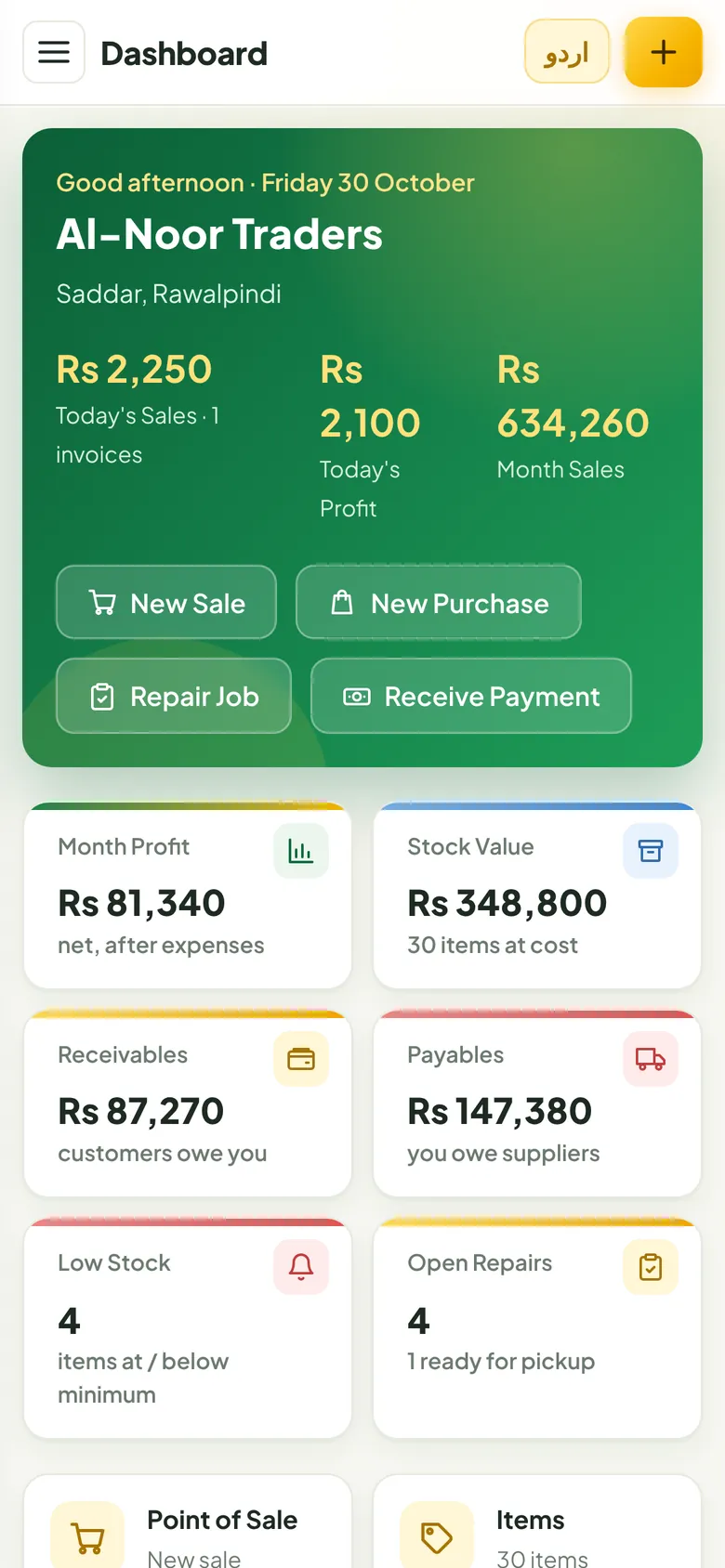
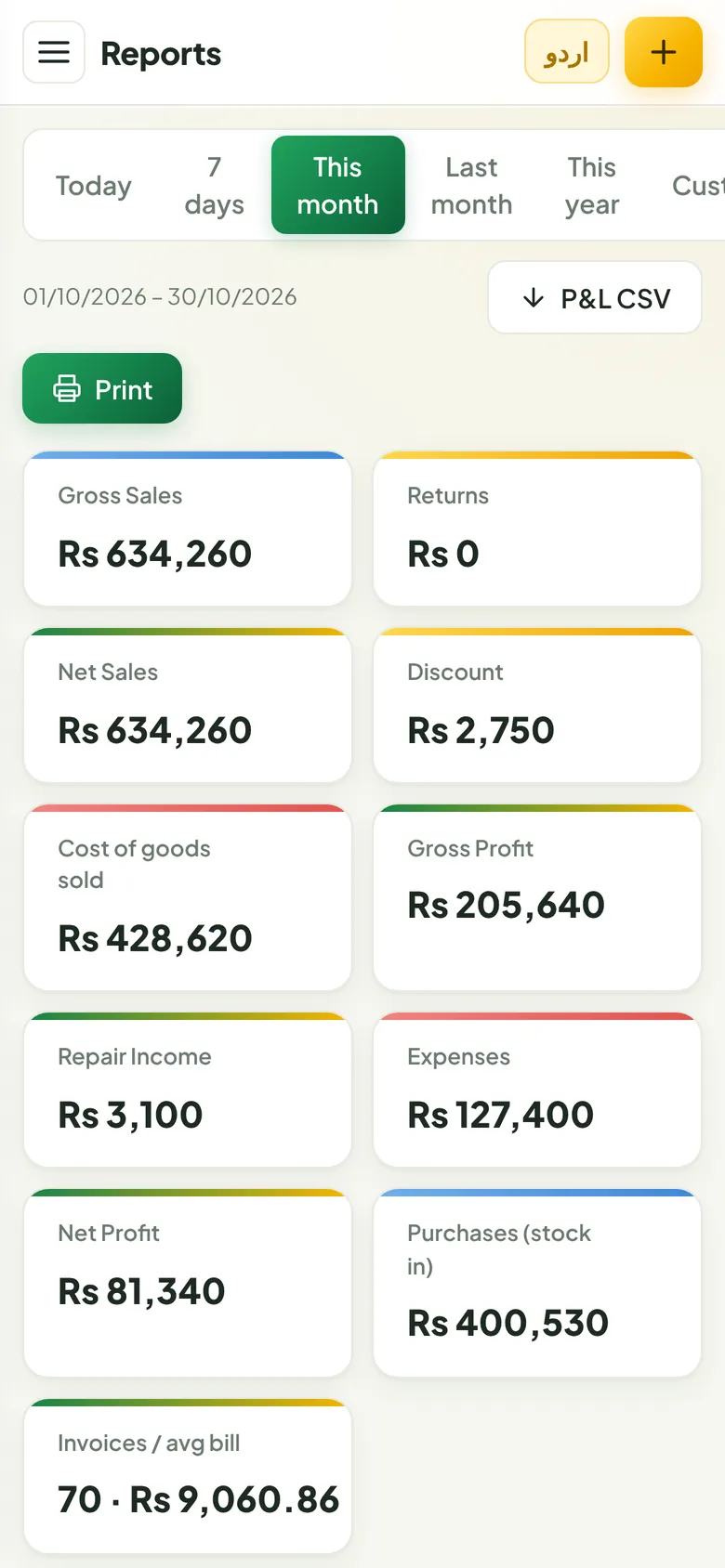
With Karobar Plus Online, today's sales, profit, stock and who owes you are on your phone wherever you are. You can even bill from it when the counter is busy.
Up and running today
- Create your shop
Sign up online in a minute, or install the Windows app. Make the owner login.
- Add your items
Type them in, import your list from Excel, or load the demo shop to practise first.
- Start billing
Scan, pay, print. Stock, khata and profit update on their own.
Simple pricing
Every feature in every plan. Pay by JazzCash, EasyPaisa or bank transfer.
Online
Offline (Windows)
- 3-day free trial on your computer
- Monthly, yearly or lifetime license key
- Help with installing and setting up
Questions shop owners ask
Something else? WhatsApp 0300-0000000.
What is the difference between the online and the offline version?
It is the same Karobar Plus with the same screens. Online runs in the browser and saves your data in your online account, so you can open it from any device and use several counters. Offline is a Windows app that keeps everything on one computer and never needs internet.
Can I start offline and move online later, or the other way round?
Yes. Take a backup in Settings and restore it in the other version. Every item, sale, customer, ledger and user moves across.
What happens if the internet goes off while I am using the online version?
If the shop is already open on the screen, you can keep billing. Changes are kept on that device and saved online as soon as the connection is back. Opening it fresh does need internet.
Is my data safe?
Online, your data is in your own password-protected account, with an automatic backup every day for 30 days, and you can download a copy any time. Offline, data stays on your computer with 30 days of automatic backups. In both, every staff member has their own login, and cashiers cannot delete or edit bills.
Which printers and scanners does it work with?
Any USB barcode scanner, and 80 mm thermal receipt printers or normal A4 printers. The Windows app can print straight to the printer without a pop-up.
Does it work in Urdu?
Yes. Every screen switches between English and Urdu with one button.
What happens when my plan or license ends?
You see a renewal screen. Nothing is deleted, and online you can still download your data. Renew and everything opens again as it was.
Can you set it up for me?
Yes. Message us on WhatsApp at 0300-0000000 and we will help you add your items and get your counter running.